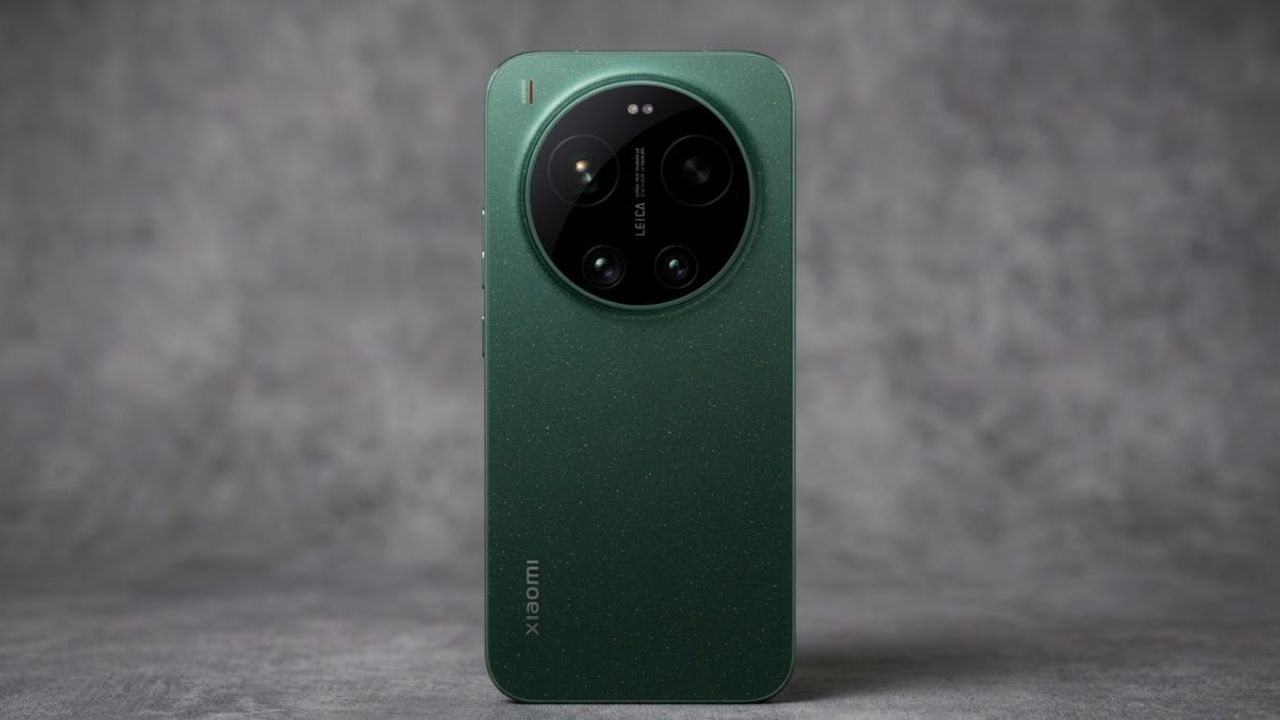
Every great moment deserves to be captured in stunning detail, and the DSLR HD Camera – 4K HD Camera Android App is designed to make that possible without expensive equipment. Whether you are a casual user who loves clicking everyday memories or a content creator looking for the best camera app for Android, this app gives you the power of a professional camera app right inside your smartphone.
With advanced manual camera controls, crisp 4K video recording, and a clean, intuitive interface, it bridges the gap between a regular phone camera and a real DSLR camera. Instead of carrying a bulky device, you can now shoot sharp, vibrant, and cinematic content anywhere, anytime. This is the free camera app download that photographers, vloggers, travelers, and social media enthusiasts have been waiting for.
What Is the DSLR HD Camera – 4K HD Camera App?
The DSLR HD Camera app is a feature-rich camera application for Android that brings DSLR-style photography to mobile devices. It combines high-resolution photo capture, 4K ultra HD video recording functionality, real-time filters, and powerful editing tools into one lightweight package.
Unlike the default camera on many phones, which often limits creative control, this app unlocks settings such as ISO control, shutter speed, white balance adjustment, exposure compensation, and focus modes.
These are the same tools used by professionals when working with a DSLR camera, and having them on your phone means you can experiment, learn, and create at your own pace. The app is optimized to work smoothly across a wide range of Android devices, from budget smartphones to premium flagships, ensuring that high-quality photography is accessible to everyone.
Stunning 4K Ultra HD Video Recording
One of the most attractive features of this app is its 4K video recording capability. Videos recorded in 4K resolution contain four times the pixels of standard Full HD, resulting in extraordinary clarity, sharper textures, and lifelike colors.
If you create content for YouTube, Instagram Reels, TikTok, or Facebook, the 4K HD video recorder helps your videos stand out in crowded feeds. The app supports multiple resolution options, including 1080p Full HD, 720p HD, and 4K UHD, so you can balance quality and storage space according to your needs.
Features like video stabilization, continuous autofocus, and adjustable frame rates make your footage smooth and professional. For travel vloggers, wedding videographers, and event shooters, a reliable 4K camera app transforms an ordinary smartphone into a powerful video production tool.
Professional Manual Camera Controls
Serious photographers know that automatic mode can only take you so far. That is why this app includes a complete suite of manual camera controls that give you full command over every shot.
You can fine-tune ISO sensitivity to handle low-light scenes without grain, adjust shutter speed to freeze fast action or create beautiful motion blur, and modify white balance to get accurate or creative color tones.
The exposure compensation slider lets you brighten or darken a scene instantly, while manual focus ensures your subject stays crisp exactly where you want it. These pro camera settings are essential for night photography, portrait photography, landscape photography, and macro photography. By learning how each control works, you will gradually develop the skills of a professional photographer while using only your Android phone.
DSLR Blur Background and Portrait Mode
A defining look of DSLR photography is the soft, creamy background that makes the subject pop, often called bokeh. This app delivers a powerful DSLR blur background effect that imitates the shallow depth of field achieved by expensive lenses.
Using intelligent subject detection, the portrait mode camera separates the foreground from the background and applies a natural-looking blur. You can adjust the intensity of the background blur before or after capturing the picture, giving you complete creative freedom.
This feature is perfect for profile pictures, fashion photography, product photography, food photography, and wedding portraits. Many users search for a blur photo editor or bokeh camera app, and this app delivers both in a single, easy-to-use interface.
Advanced HD Photo Capture and High Megapixel Support
Image quality begins with resolution, and this app lets you capture photos at the highest resolution supported by your device. The HD camera engine uses smart processing to reduce noise, enhance sharpness, and preserve fine details such as hair, fabric texture, and distant landscapes.
Features like HDR mode (High Dynamic Range) balance bright skies and dark shadows in a single frame, producing images that look rich and balanced. The night mode camera brightens dark environments without making photos look artificial, which is ideal for city lights, indoor events, and evening gatherings.
With burst shot mode, you can take rapid sequences of photos to capture fast-moving subjects like pets, sports, or playing children. Together, these tools make this the ideal HD photo camera app for anyone who wants high-resolution images without carrying a DSLR.
Smart Filters, Effects, and Real-Time Editing
Great photography does not end at the click of a shutter. The built-in photo editor and filter camera allow you to enhance pictures instantly with a wide collection of real-time filters and artistic effects.
From vintage tones and cinematic color grading to bright pastel looks, you can apply styles live while shooting or edit later in the gallery. Editing tools include crop and rotate, brightness and contrast, saturation, sharpness, vignette, and color temperature adjustments.
If you want a polished social media look, the beauty camera features smooth skin, brightens faces, and enhances natural features while keeping results realistic. Users who often search for a photo editing app for Android or a selfie camera app will love how easily this tool combines capture and editing without needing a second application.
Selfie Camera and Front Camera Enhancements
Selfies have become a part of everyday communication, and this app takes front-camera photography to the next level. The HD selfie camera includes face detection, auto beauty mode, soft-light correction, and an optional flash for front camera that illuminates your face in dim conditions.
You can use a timer or voice and gesture capture to take hands-free pictures, which is useful for group selfies and tripod-based shooting. The mirror mode lets you decide whether the saved image matches the preview or appears flipped.
Whether you are updating your Instagram profile, recording a video message, or shooting a quick vlog, the selfie tools ensure you always look your best. This makes the app a favorite among students, influencers, and professionals who rely on social media content creation.
Perfect for Content Creators, Vloggers, and YouTubers
The growth of short video platforms and creator economy opportunities has increased demand for reliable mobile filming tools. This 4K HD camera app is built with creators in mind. You can record cinematic videos with stable frames, adjust focus while filming, and capture clear audio thanks to optimized microphone handling.
The time-lapse and slow-motion video options help you create attention-grabbing clips that boost engagement. Because exports retain high bitrate quality, your content looks sharp even after uploading to platforms that apply compression.
Aspiring YouTubers, Instagram influencers, and freelance videographers can use the app to build a strong portfolio without investing in a costly mirrorless camera or DSLR setup. In short, it is a cost-effective solution for video marketing and digital storytelling.
Ideal for Travel, Wildlife, and Landscape Photography
Travelers often struggle between wanting great photos and not wanting to carry heavy gear. With this app, your phone becomes a compact travel camera. The zoom camera feature allows you to get closer to distant subjects, while the grid lines and level indicator help you compose balanced shots.
For landscape photography, enabling HDR and lowering ISO delivers detailed skies and rich greens. During sunrise and sunset photography, manual exposure helps you retain the glowing colors of golden hour.
Wildlife and bird lovers can rely on fast autofocus and burst mode to capture the perfect moment. The panorama mode stitches multiple frames into a wide scene, ideal for mountains, beaches, and city skylines. With the best photography app for travelers, every journey becomes a gallery-worthy collection.
Easy-to-Use Interface for Beginners and Experts
Powerful features are only useful when they are easy to access, and this app focuses on a clean, user-friendly interface. Beginners can stay in auto mode and still achieve excellent results thanks to scene detection and smart enhancement.
Advanced users can switch to pro mode and take full control. The layout places key tools such as flash, timer, filters, resolution, and gallery within easy reach so you never miss a moment.
Quick-access buttons and gesture support, including pinch-to-zoom and tap-to-focus, make shooting feel natural. Whether you are a first-time smartphone photographer or an experienced DSLR user exploring mobile photography, the interface adapts to your skill level and grows with you.
Optimized Performance and Storage Management
High-resolution photos and 4K videos require smart performance and storage handling, and this app is optimized for both. It uses efficient processing to run smoothly even on mid-range Android devices, reducing lag, overheating, and battery drain.
You can choose where to save media, including internal storage or an SD card, which is especially helpful when recording long 4K videos. File compression options let you balance quality and file size, while the auto-organize gallery keeps pictures and clips sorted by date and type.
Quick sharing tools allow you to send photos and videos directly to WhatsApp, Instagram, Facebook, Snapchat, and other platforms in a single tap. With these efficiency features, the app delivers a reliable mobile photography experience that never slows you down.
Creative Shooting Modes for Every Situation
Different scenes require different approaches, and this camera app provides a variety of shooting modes to match. Portrait mode focuses on faces and soft backgrounds, landscape mode enhances colors and depth, and macro mode captures tiny details like flowers and insects.
Panorama mode creates sweeping wide shots, while scene detection automatically adjusts settings for food, sky, greenery, or low-light environments. Timer shooting helps with group photos, and grid composition guides assist you in applying the rule of thirds for balanced framing.
For artistic creators, long exposure and light trails can produce dramatic effects, such as car lights at night or flowing waterfalls. Having so many camera modes in one place makes this a complete all-in-one camera app for Android.
Privacy, Safety, and Smooth User Experience
Users today care deeply about privacy, and the app is built to respect it. Permissions are limited to features that are necessary, such as camera access, microphone use for video, and storage for saving files. Your photos and videos remain under your control, and you decide what to share and where.
Regular updates improve stability, compatibility with new Android versions, and overall performance. The app is lightweight, so it does not consume excessive memory or space, and its simple design reduces the chance of accidental setting changes. This focus on safe and secure camera app practices gives users confidence that they can enjoy photography without worrying about unnecessary data collection.
Why Choose This App Over Other Camera Apps?
The Play Store offers many photography tools, yet few combine DSLR-style manual controls, 4K video recording, blur background effects, and built-in photo editing in one package. Many apps either focus only on filters or only on professional settings, leaving users to juggle multiple downloads.
The DSLR HD Camera – 4K HD Camera app removes that complexity by serving as a complete photography and videography solution. It is suitable for beginners, students, bloggers, small business owners, and professional creators, making it one of the most versatile options available. Its balance of quality, speed, and simplicity helps it stand out as a strong contender for the best free DSLR camera app for Android.
Tips to Get the Best Results from the App
To achieve professional-looking photos and videos, a few simple practices make a big difference. First, always clean your camera lens before shooting, since fingerprints and dust reduce sharpness. Second, use natural light whenever possible, shooting near windows or during golden hour for warm, flattering tones.
Third, enable grid lines to follow the rule of thirds and improve composition. Fourth, keep your phone steady with both hands or use a tripod or gimbal stabilizer for smooth 4K video.
Fifth, lock focus and exposure when shooting scenes with moving elements to avoid shifting brightness. Finally, experiment with manual settings such as ISO and shutter speed to understand how they influence your images. With regular practice, you will notice a clear improvement in the quality of your mobile photography.
Who Can Benefit from This Camera App?
This Android camera app serves a wide audience. Students can document projects and presentations, parents can capture precious moments of their children, and small businesses can create product photography and promotional videos for online stores.
Real estate agents can shoot clear property photos, while bloggers and influencers can produce engaging visual content. Travelers and adventure seekers gain a lightweight, dependable shooting companion, and hobbyist photographers can learn the fundamentals of exposure and composition. By offering professional features in an accessible format, the app helps people from all backgrounds express creativity and tell better stories.
How to Download and Install
Getting started is simple. Open the Google Play Store on your Android device, search for DSLR HD Camera – 4K HD Camera, and tap Install. Once the free camera app download finishes, open the app and grant the required permissions for camera, microphone, and storage.
Choose your preferred resolution, explore the available modes, and start shooting immediately. Within minutes, you can capture sharp pictures, record 4K videos, apply filters, and share your creations with friends and followers. Keeping the app updated ensures you always have access to new features, performance improvements, and bug fixes.
Conclusion: Capture the World in Ultra HD
The DSLR HD Camera – 4K HD Camera Android App proves that you do not need expensive equipment to produce remarkable visuals. By combining manual camera controls, 4K video recording, DSLR blur background, HD photo capture, beauty and selfie enhancements, and powerful editing tools, it delivers a full-featured professional photography experience on your phone.
Whether you want to preserve family memories, grow a social media presence, build a creative portfolio, or simply enjoy photography as a hobby, this app gives you the freedom and quality to do it. Download it today, explore its features, and start capturing the world in breathtaking Ultra HD clarity