Millions of Indian families search every month for the Ayushman card online application, and for good reason. The Ayushman card is the key that unlocks free treatment and cashless hospitalisation under the Ayushman Bharat Pradhan Mantri Jan Arogya Yojana (PM-JAY), the government’s flagship health insurance scheme.
This guide explains, in simple paragraph-wise language, who can apply, which documents you need, how to apply for the Ayushman card online through the official portal or the app, how to complete eKYC, how to download your card, and what to do when things go wrong. Read it once, keep it handy, and you will be able to finish the process in a few minutes from your phone.
What Is the Ayushman Card and What Does It Give You?
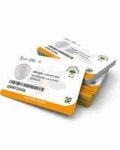
The Ayushman card, also called the PM-JAY card or Golden Card, is a digital or printed identity card issued to eligible beneficiaries of Ayushman Bharat PM-JAY, a scheme launched in 2018 and managed by the National Health Authority (NHA).
It entitles an eligible family to health cover of up to ₹5 lakh per year for secondary and tertiary care hospitalisation. There is no premium to pay, and the cover is not restricted by the size of the family or the age of its members.
The card is used at empanelled government and private hospitals to receive cashless treatment for a wide range of medical and surgical procedures, including cardiac surgery, cancer treatment, joint replacement, dialysis and maternity care.
It is worth being clear about one point. The Ayushman card is not a general-purpose insurance policy that you buy. It is a government entitlement for families that meet defined criteria. That is why the process is better described as checking eligibility, completing eKYC, and generating the card rather than paying for a policy. The card itself is free of cost, and neither the application nor the download should ever require a fee at the official portal.
Who Can Apply? Ayushman Card Eligibility 2026
Eligibility under PM-JAY has traditionally been based on the Socio-Economic Caste Census (SECC) 2011 database for rural and urban families, along with defined occupational categories for urban workers such as street vendors, construction workers, sanitation workers, electricians, transport workers, domestic workers, and washermen.
Many states have also added their own beneficiary groups, often linked to the ration card under the National Food Security Act, so the final list of eligible families can differ from state to state. In practice, the quickest way to know whether your family qualifies is to search for your name on the official beneficiary portal, which is covered in the steps below.
A major expansion is the Ayushman Vay Vandana card for senior citizens aged 70 years and above. Eligible seniors in this age group can receive health cover of up to ₹5 lakh per year irrespective of income, with the cover shared among eligible senior members of a family.
For the many families searching for an Ayushman card for senior citizens, this is a significant benefit, and the Ayushman Vay Vandana card application process runs through the same official channels. Keep proof of age handy, such as an Aadhaar card or birth certificate, when you apply.
State participation also keeps changing. For example, recent reports indicate that West Bengal signed an agreement with the NHA in June 2026 to join the scheme, and Delhi and Odisha have also moved to bring residents into PM-JAY. Because state arrangements are evolving, always check the latest status for your state on the official portal rather than relying on older articles.
Documents Required for Ayushman Card Online Application
Before you begin, keep the following ready so that the process runs smoothly. The most important document is your Aadhaar card, because the card is generated after Aadhaar-based eKYC. You will need your Aadhaar-linked mobile number, since the one-time password (OTP) is sent to it.
Depending on your state and category, you may also need your ration card, family ID, or any PM-JAY ID if you were previously registered. Keep a passport-size photograph and address proof available in case the portal or a Common Service Centre asks for them. Senior citizens should also keep proof of age.
If your mobile number is not linked to Aadhaar, update it first at an Aadhaar enrolment centre, because many online steps will fail without it. Make sure the spelling of your name and the date of birth on your Aadhaar match your other documents, since mismatches are one of the most common reasons for rejected eKYC.
Step-by-Step: How to Apply for Ayushman Card Online Through the Beneficiary Portal
Open your browser and go to the official beneficiary portal, beneficiary.nha.gov.in. You can also begin from the main pmjay.gov.in website and click the “Am I Eligible?” option. On the beneficiary portal, choose the Beneficiary login option. Enter your mobile number, type the captcha if asked, and click to receive an OTP. Enter the OTP you receive by SMS to log in.
After logging in, select your State and the relevant scheme, then search for your record. The portal usually lets you search using your name, Aadhaar number, ration card number, family ID, or mobile number, depending on the state. Enter the details carefully and submit. If your name appears in the results, it means your family is in the beneficiary database, and you are eligible for Ayushman Bharat. Select the member for whom you want to generate the card.
Next comes the eKYC step. Click the option to complete Aadhaar-based eKYC and authenticate using an Aadhaar OTP, or biometric authentication at a centre where available. Once the system verifies your identity, it matches your details with the record and creates your card.
After approval, the Ayushman card becomes available under the “My Cards” or similar section, and you can download it as a PDF. Print a copy and also store the digital version on your phone.
How to Apply for Ayushman Card Online Through the Ayushman App
If you prefer your phone, the Ayushman Bharat (PM-JAY) app is available on the Google Play Store, and the process is similar. Install the app, open it, and choose the option to log in as a beneficiary. Enter your mobile number, verify the OTP, and then select your state.
Search for your name using the details requested, check the eligibility result, and start the eKYC process. Authenticate with Aadhaar OTP, and once verification is complete, you can view and download your e-card from within the app.
The app is especially convenient for senior citizens because family members can help complete the process from their own phones. It also offers a hospital finder, so after getting your card, you can immediately look up empanelled hospitals near you and save their contact details. Always download the app from the official store listing published by the National Health Authority, and avoid unknown APKs shared on social media.
Apply for Ayushman Card Offline Through a CSC or Hospital
Not everyone is comfortable with the internet, and the scheme provides offline routes too. You can visit a nearby Common Service Centre (CSC), where a trained operator can check your eligibility, perform eKYC, and print your Ayushman card.
Carry your Aadhaar card, ration card, and mobile phone. Some centres charge a small, legitimate service fee as notified by authorities, but you should confirm the amount and demand a receipt. The official generation of the card itself remains free.
You can also approach the Ayushman Mitra desk at an empanelled hospital, a government hospital, your district health office, or a Gram Panchayat office in some regions. The Ayushman Mitra can verify your eligibility on the spot and help generate the card, which is useful if you are about to be admitted for treatment. If you struggle with any step, call the toll-free Ayushman Bharat helpline 14555, available 24×7, for guidance.
How to Check Ayushman Card Eligibility Online
You can check eligibility without applying for anything. Visit the beneficiary portal or the app, log in with your mobile number and OTP, choose your state, and search with your Aadhaar number, ration card number, or family ID.
If your name appears in the list, you are in the system and can proceed to eKYC and card generation. If your name does not appear, do not panic and do not pay anyone. Try searching with alternative details, such as the name of another family member or the ration card number, because the record is sometimes listed under a different member.
If you still cannot find your name, visit the nearest CSC or district health office to ask about eligibility, including any state-specific inclusion that may apply. Ask whether your family can be added through a recent survey, a ration card link, or an occupational category. Rules differ, so a local official can tell you whether a correction or a new inclusion request is possible.
How to Complete Ayushman Card eKYC
eKYC is the verification step that links your Aadhaar identity to your Ayushman record, and it is essential. Without it, the card may not be active, and an empanelled hospital may not accept it for cashless treatment.
To complete it, log in to the beneficiary portal or app, select the eKYC option, enter your Aadhaar number, and verify using the OTP sent to your Aadhaar-linked mobile number. In some cases, face authentication or fingerprint verification at a CSC is available as an alternative.
Several things can go wrong at this stage. The most common is the OTP not arriving, usually because the mobile number is not linked to Aadhaar or the network is weak. Wait a few minutes before retrying, and avoid requesting repeated OTPs in quick succession.
Another frequent issue is a name or date of birth mismatch between Aadhaar and the beneficiary database. If this happens, correct your Aadhaar details first or ask the authorities at the CSC or health office how to fix the beneficiary record. Never share your OTP with a person who calls you claiming to offer help.
How to Download the Ayushman Card PDF
Once your eKYC is complete and the card is approved, downloading the Ayushman card takes under a minute. Log in at beneficiary.nha.gov.in or in the app, choose your state and scheme, search for your record, and open the “My Cards” or “Download Card” section.
Select the family member and click the download button to save the Ayushman card PDF. If you are using a phone, the file will usually appear in your downloads folder. Print it on plain paper or ask a CSC to print it on a card-sized sheet.
Keep multiple copies of your card. Store one on your phone, email one to a family member, and carry a printed copy in your wallet or document folder. At the hospital, you will typically need the card or the Ayushman ID, together with your Aadhaar card or another government photo ID. If you lose the card, you can simply download it again from the portal, as the record remains linked to your account.
How to Check Ayushman Card Status
If you completed registration and want to know whether your card has been created, you can check the Ayushman card status online. Log in to the beneficiary portal or the app with your registered mobile number, go to the “My Cards” section, and look at the list of family members.
The status and card details are displayed there. If the card shows as pending, ensure that the eKYC for that member was completed and approved. If the status does not change after several days, contact the helpline 14555 or visit the nearest CSC.
It is also useful to check the status of every family member separately. A card is generated for each member, and sometimes one person’s eKYC is complete while another’s is not. Checking each member in advance avoids last-minute problems when someone in the family needs admission to a hospital.
Ayushman Card vs ABHA Card: Understanding the Difference
Many people confuse the Ayushman card with the ABHA card, but they serve different purposes. The ABHA (Ayushman Bharat Health Account) number is a digital health ID that stores your medical records, prescriptions, and test reports so that you can share them with doctors.
The PM-JAY Ayushman card, on the other hand, is what proves your entitlement to cashless hospital treatment under the scheme. You can hold both, and creating an ABHA ID can be helpful for keeping your health history organised. However, an ABHA card alone does not give you the ₹5 lakh insurance cover.
Because the names sound similar, some online pages mix them up. Always check that the page you are using clearly says PM-JAY beneficiary when you are applying for the insurance card, and use the official portal when in doubt.
What to Do After You Get Your Ayushman Card
Getting the card is only the first step. The next is to identify the empanelled hospitals near you. Use the Find Hospital section on pmjay.gov.in or the app’s “Find Hospital Near Me” feature, and note down at least two or three hospitals, including one government hospital and one private hospital, along with the phone number of their Ayushman Mitra or helpdesk. Save these numbers in your phone and share them with your family so that everyone knows what to do in an emergency.
At admission, go straight to the Ayushman helpdesk and show your card and photo ID. For planned procedures, the hospital submits a pre-authorisation request, and treatment begins after approval. For emergencies, treatment can start immediately.
Remember that the scheme generally covers hospitalisation, not OPD consultations, so ask the hospital which expenses are included in your package. If a hospital asks for money for a covered treatment, request an explanation in writing and complain on 14555 or through the grievance section of the portal.
Common Problems and Quick Fixes
If the portal is slow or shows an error, try again at a different time, use another browser, or switch to the mobile app. If your name is not found, search with another family member’s details or check with the CSC about state-specific inclusion.
If the OTP does not arrive, confirm that your mobile number is linked to Aadhaar and wait before retrying. If the hospital refuses your card, first confirm that the hospital is empanelled and your eKYC is complete, then escalate through the helpline or the State Health Agency.
Another frequent issue is that a family has more than one record, or a member’s details are wrong in the database. In such cases, the best step is to visit your district health office with your documents and ask for a correction or update request. Keep a note of the date, the person you spoke to, and any reference number, since this helps if you need to follow up later.
Beware of Fake Websites and Agents
Because the Ayushman card is so valuable, fraudsters often target applicants. Some fake websites and social media pages claim to offer Ayushman card registration for a fee, or they ask for your OTP, bank account details, or Aadhaar number in exchange for a “guaranteed card”.
The official process does not require you to pay an agent, and the portal never asks you to share your OTP with a third party. Always type beneficiary.nha.gov.in or pmjay.gov.in directly into your browser, and be suspicious of any link received through messages promising “instant cards” or “free ₹5 lakh insurance” with a payment.
If you suspect fraud, stop immediately, do not share any more information, and report it through the helpline 14555 or the cybercrime portal. Warn elderly relatives especially, because they are frequent targets. A simple rule is that you should never pay to apply for or download your Ayushman card at an official channel, and never share an OTP with anybody.
Final Thoughts
Learning how to apply for the Ayushman card online takes only a few minutes, but the benefit can be worth up to ₹5 lakh of cashless treatment each year for your family. Check your eligibility on beneficiary.nha.gov.in or the Ayushman app, complete Aadhaar eKYC, download your card, and note down nearby empanelled hospitals before you need them.
Use only official channels, keep your documents updated, and call the helpline 14555 when you need help. Preparing today means that, if a medical emergency ever arrives, you can walk into a hospital with confidence rather than confusion.
Disclaimer: Eligibility rules, coverage limits, participating states, and portal features can change. This guide is for general information only. Always verify current details on the official PM-JAY portal or by calling the national helpline before making decisions.