Video editing on a phone used to mean choosing between clunky free apps and expensive desktop software that barely worked well on Android. CapCut changed that equation almost overnight, and its Pro tier has become one of the most searched terms among mobile creators, TikTokers, YouTube Shorts editors, and small business owners trying to produce polished content without a laptop.
If you’ve been typing “CapCut Pro APK download,” “CapCut Pro price Android,” or “how to get CapCut Pro free” into a search bar, this guide walks through what CapCut Pro actually is, what it costs in 2026, what you get for the money, and – just as importantly – how to install it safely without falling into the trap of fake mod APKs that circulate under names like “CapCut Pro Mod Unlocked” or “CapCut Pro Free Download 2026.”
CapCut is a free video editing app originally built by ByteDance, the same company behind TikTok, and it has since grown into one of the most widely used mobile and desktop editing tools in the world. The core app – timeline editing, cut and split tools, transitions, text overlays, filters, and basic effects – is free for everyone and does not require a subscription. CapCut Pro is not a separate app you download; it is a premium subscription tier that unlocks inside your existing CapCut account once you upgrade.
This distinction matters enormously for anyone searching for a standalone “CapCut Pro APK” because no such official file exists. Any website offering a free, separately installable “CapCut Pro” APK is distributing an unofficial, modified version of the software, and these mod APKs are one of the most common vectors for malware, adware, and credential theft on Android in 2026.
What’s New in CapCut’s 2026 Pricing Structure
CapCut significantly restructured its subscription tiers in early 2026. Previously, there was a single mid-tier Pro plan priced around $8 to $10 a month. In the restructuring, CapCut renamed the original tier “Standard” and introduced a new, more expensive “Pro” tier above it, positioning premium AI features – including AI video generation, voice cloning, and avatar generation – behind the higher-priced plan.
CapCut justified several upgrades alongside the price increase: AI points increased from 550 to 1,200 per month, cloud storage expanded from 100GB to 1TB, and the AI toolkit received new features including camera tracking and speaker-ID captions.
For creators who had subscribed specifically because of AI generation tools, this repositioning effectively meant a price increase to keep the features they were already using, which generated some frustration in the CapCut community.
It’s also worth understanding that CapCut runs true regional and platform-based pricing, meaning what you pay can vary substantially depending on where you live and which store you subscribe through. Prices in markets like India, Brazil, and parts of Southeast Asia are typically much lower than in the US or Western Europe, and this is standard practice across most subscription software, not unique to CapCut.
On top of regional variation, subscribing directly through the Google Play Store or Apple App Store usually costs more than subscribing through CapCut’s own website, because Apple and Google both take a commission – typically in the 15 to 30 percent range – on in-app purchases, and CapCut passes that markup on to the subscriber.
If you’re trying to get the lowest possible CapCut Pro price on Android, subscribing through the CapCut web app at capcut.com rather than directly inside the Android app is generally the cheaper route.
What You Get With CapCut Pro
Once subscribed, CapCut Pro unlocks a meaningfully larger toolkit than the free version. The most commonly cited upgrades include export in full 4K resolution rather than being capped at 1080p, removal of any restrictions tied to premium-tagged templates and effects, and access to CapCut’s full library of assets — reportedly over 12 million royalty-free music tracks, sound effects, stickers, fonts, and stock footage clips.
Beyond the basic asset unlock, Pro adds a set of advanced editing tools that used to require dedicated professional software: background removal without a green screen, motion and camera tracking that follows a subject through a shot, noise reduction for cleaning up messy audio, vocal isolation for pulling a voice track out of background music, and speaker-identification captioning that automatically labels who is talking in multi-person videos.
Cloud storage is another major differentiator. The Pro plan in 2026 generally includes somewhere between 100GB and 1TB of cloud storage, depending on region and current plan version, letting you sync in-progress projects between your phone, tablet, and desktop without manually transferring files. This matters more than it sounds for anyone editing 4K footage, since raw video files can consume storage extremely quickly, and CapCut’s free tier storage allowance is comparatively small.
One detail that surprises a lot of new Pro subscribers is that CapCut’s heaviest AI tools run on a separate monthly credit system rather than being truly unlimited. Standard, non-AI editing – trimming clips, adding captions, applying filters, building transitions – does not consume credits at all. But generative AI features like AI video generation, AI voice cloning, and AI image generation draw from a monthly credit pool that resets each billing cycle.
Once that pool runs out, additional credits can be purchased separately, typically starting around $4.99 for 100 credits, valid for roughly two years. For someone doing occasional AI-assisted edits, this rarely becomes an issue. For creators leaning heavily on generative AI as a core part of their workflow, it’s worth budgeting for potential top-up purchases on top of the base subscription price.
CapCut Pro Team and Business Plans
For agencies, marketing teams, and businesses producing video content for multiple clients, CapCut also offers a Team or Business tier that sits above individual Pro. Team plans generally add shared project workspaces where multiple editors can collaborate on the same video in real time, a centralized brand kit for storing brand colors, fonts, logos, and templates so every team member stays on-brand, administrative controls for managing permissions and monitoring usage across the team, and increased per-seat cloud storage compared to the individual Pro plan.
Team pricing is typically billed per seat per month, and – consistent with CapCut’s broader pricing approach – the exact per-seat cost varies depending on region, total seat count, and whether you choose monthly or annual billing. Annual Team billing generally works out cheaper per seat than paying month to month, which is worth factoring in if you know you’ll be running a multi-person editing team for the foreseeable future.
Is the Free Version Actually Enough for Most People?
It’s worth pausing here because a lot of people searching for CapCut Pro assume they need it when the free tier might genuinely cover their needs. CapCut’s free plan is unusually generous compared to competing free editors.
The complete editor – full timeline, effects panel, audio tools, text tools, and transitions – is available without paying anything, and crucially, CapCut does not slap a watermark on free exports the way apps like InShot or Filmora’s free tiers often do.
The tradeoff is that free exports are capped at 1080p rather than 4K, and AI-powered features like auto-captioning and AI effects generation come with monthly usage limits rather than unlimited access.
For someone posting casual content to Instagram, TikTok, or YouTube Shorts at standard resolution, the free tier alone may be entirely sufficient, and upgrading to Pro mainly makes sense once you’re exporting in 4K regularly, relying heavily on the advanced AI toolkit, or hitting the free tier’s monthly usage caps often enough that it’s slowing down your workflow.
Student and Discount Options
CapCut has also offered a student discount on its Pro plan in past promotional periods, verified through a valid student email address, cutting the monthly price down substantially compared to the standard rate.
Because promotional pricing changes frequently and isn’t guaranteed to be active at any given time, the only reliable way to confirm current student pricing, seasonal promo codes, or trial offers is to check directly inside the CapCut app or on capcut.com, since third-party blog posts advertising specific discount percentages can quickly go out of date.
How to Install and Subscribe to CapCut Pro on Android the Safe Way
The only legitimate way to get CapCut Pro on an Android device is through the official CapCut app, available directly on the Google Play Store, or by subscribing through CapCut’s own website at capcut.com and having the Pro status sync automatically to your mobile app once you’re logged into the same account.
There is no separate installer, mod file, or “unlocked” APK that legitimately grants Pro access for free – subscriptions are tied to your account and billing status, not to a specific file you download.
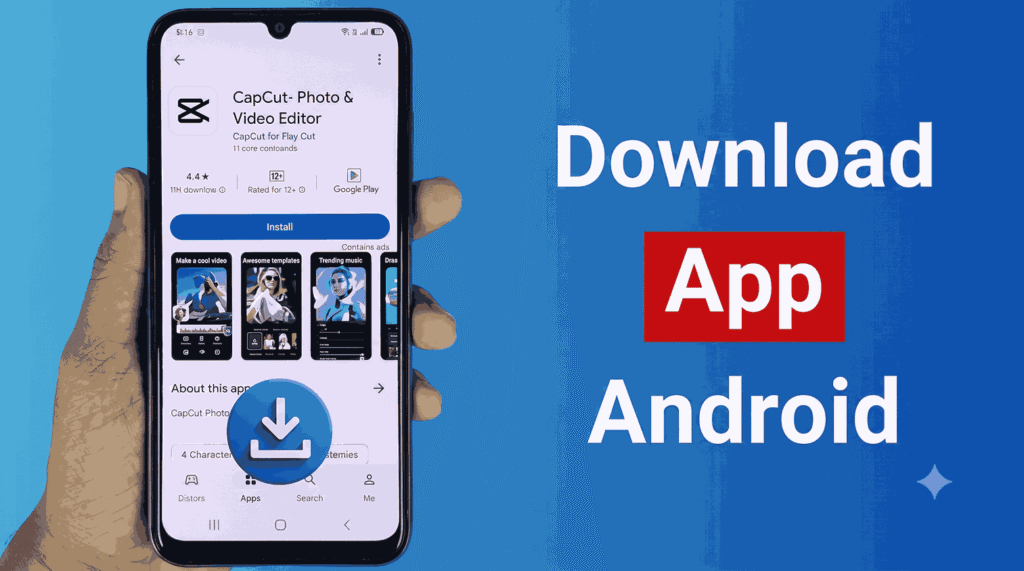
The correct installation path looks like this: search for “CapCut” in the Google Play Store and confirm the developer listed is CapCut Pte. Ltd. (the official publisher), install the app normally, create an account or log in with an existing one, then tap the upgrade or “Go Pro” prompt inside the app to view current pricing for your region.
From there, you can choose monthly or annual billing and complete payment through Google Play’s standard checkout, or, if you want to avoid the platform markup, subscribe instead through the CapCut web app at capcut.com from a desktop browser, then log into the same account on your Android app to have Pro features unlock automatically.
Why “CapCut Pro APK” Downloads Are a Serious Risk
Search results for “Official CapCut Pro APK free download” are flooded with third-party sites offering supposedly unlocked, ad-free, or lifetime versions of CapCut Pro at no cost. These are not legitimate distributions of CapCut’s software. Because CapCut Pro is a subscription tied to an account rather than a downloadable file, there is no such thing as a genuine “cracked” APK that unlocks Pro features permanently – any file claiming to do this has been modified by a third party, and modified APKs are one of the most common ways Android malware, spyware, and credential-stealing software gets distributed.
Common risks include hidden malware that runs in the background collecting personal data, fake login screens designed to steal your Google or social media credentials, adware that floods your device with intrusive ads, and in some cases ransomware that locks your files until payment.
Beyond the security risk, sideloaded mod APKs also typically break automatically with each CapCut update, leave you without access to customer support, and offer no guarantee the app will function correctly at all.
Given that CapCut’s genuine free tier is already fully watermark-free and fairly generous, and that legitimate Pro subscriptions are readily available at transparent, published prices, the actual risk of downloading a “free Pro APK” rarely outweighs the modest cost of subscribing properly.
Final Thoughts
CapCut has positioned itself as one of the most capable mobile video editors available in 2026, and its free tier alone is strong enough that many casual creators never need to upgrade. For anyone editing in 4K, relying on advanced AI tools, or working across a team, CapCut Pro adds real, tangible value – but the smart way to access it is directly through the official app or CapCut’s own website, checking live pricing for your specific region rather than trusting a fixed number quoted by a third-party blog post, and steering clear entirely of any site offering a free “unlocked” APK.
Subscription pricing, storage allowances, and AI credit limits all shift periodically, so before committing to an annual plan, it’s worth opening the app and confirming exactly what’s included at the current price for your account and region.